[Editors Note: This post is from 2011]
Starting on Saturday, September 10th, I will be embarking on an epic journey: Bicycling from Vancouver, BC to San Francisco CA. I'll be carrying everything I need with me on the bicycle, like camping gear, food, and clothes.
I've written before about the wonderful clarity you can get from taking a vacation from technology, but this trip will be different. One month away is a little too long, and besides, doing Cloud-Coach related things is what I love, so I don't want to leave it totally behind.
Carrying a laptop, though, is excessive. Not to mention, my MacBookPro is heavy as hell!
So, how will I manage to continue to run my technology-centered business while traveling ultra light, without being overburdened by technology?
Yep, you guessed it: An iPad.
My trusty iPad has everything I need to keep Cloud Coach buzzing while I'm away. Here's the rundown.
Hardware:
I'm using the 3G iPad 2, and splurged for the data plan for the next month. This will allow me to check email and post to the blog whenever and wherever I'd like
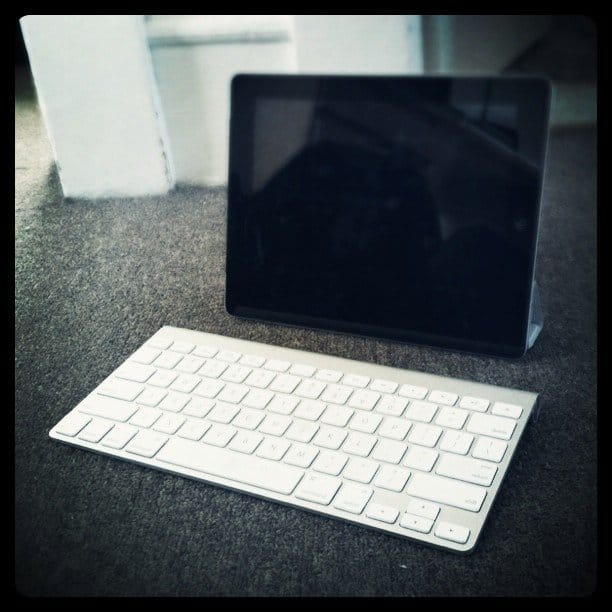
Anyone who's tried to write more than a sentence on the iPad knows that typing on glass is a trying experience. So I'll also be packing Apple's bluetooth keyboard. It's thin and lightweight, and makes typing a breeze.
For photos, I'm using Apple's iPad connection kit, which allows me to plug my digital camera directly into the iPad to transfer my pictures
Software:
Now on to the real fun.
First and foremost, the (free) WordPress app allows me to create and edit blog posts, respond to comments, and even author new pages. If you have a WordPress blog and any iOS device, don't even wait until you're traveling to download and install this app. It will come in handy early and often.
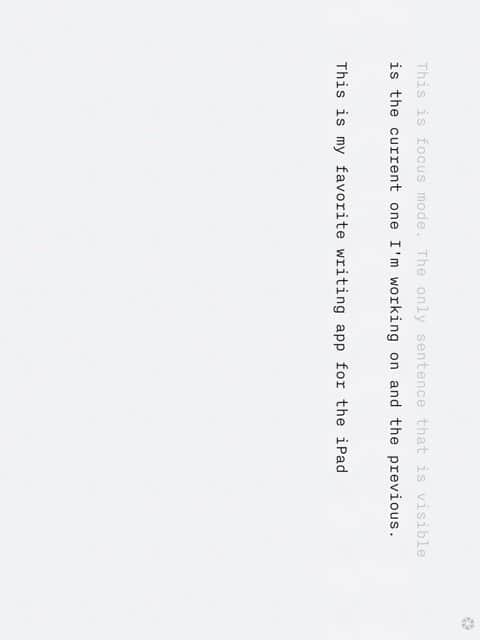
When I'm really in a writing mood, nothing beats iAwriter on the iPad. Their distraction free mode only shows you the sentence you're currently working on in the very middle of the display. I've since downloaded the desktop version of their software and love it just as much.
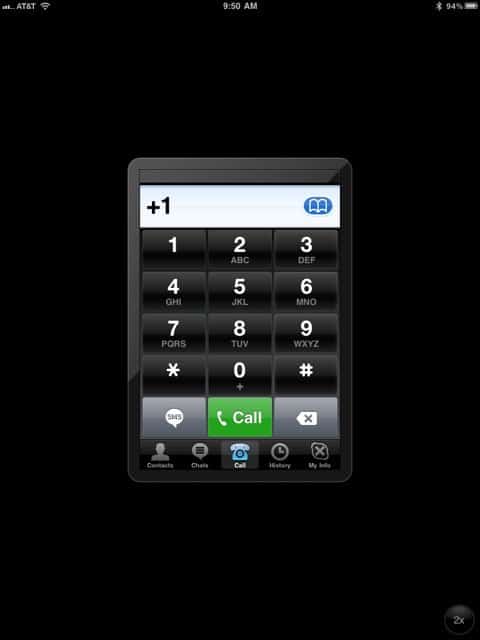
For meetings with clients, Skype works, though you're stuck with the iPhone version. It does look a bit silly floating in the middle of the screen.
Wait, So That's Really It?
I'd love to tell you that this list goes on and on, but it doesn't. The list above is all I need to run my business from the road.
We all convince ourselves that we need more technology in our lives in order to get things done. I know I have. And don't get me wrong, I don't think I could survive on this setup for ever.
But the point is, we can get by with way less technology than we think. I look forward to sharing my experiences over the course of the next month, and I challenge you to think about what technology you use and need, and what is just extra.
Finally, I challenge you to share with the Cloud Coach Community: What technology do you rely on when you travel? Which items are crucial and which are niceties?